Sunday, August 31, 2014

JSSE based SSL ciphersuite tester


Just performs a handshake with the list of JSSE ciphers with the SSL server. If handshake is successful it marks it as a success. This is more of a test for Java based SSL clients which use JSSE for SSL/TLS communication. This code relies heavily on the underlying implementation provided by Java JDK/JSSE. Use it with 1.7 as a lot of cipher support has been added. As I mentioned, this is not a true SSL cipher scanner, because it depends on what ciphersuites have been enabled by JSSE. The server might support other ciphers that are not yet implemented by JSSE, but they wont turn up in the results. Actually if you can read from the raw SSL handshake packets, you can understand what the server SSL supports, you do not need java implementation for that.

package com.ssl.test;

import java.util.ArrayList;
import java.util.Collections;

import javax.net.ssl.SSLSocket;
import javax.net.ssl.SSLSocketFactory;

public class SSLTesting {

 private static final int PORT_TARGET = 443;
 private static final String HOST = "www.example.com";
 private static final String PROTO_SSLV3 = "SSLv3";
 private static final String PROTO_TLSV1 = "TLSv1";
 private static final String PROTO_TLSV11 = "TLSv1.1";
 private static final String PROTO_TLSV12 = "TLSv1.2";
 private static final boolean VERBOSE = false;
 
 // Note 1: Standard names for all the cipher suites, not all are yet implemented
 // http://docs.oracle.com/javase/7/docs/technotes/guides/security/StandardNames.html#ciphersuites

 // Note 2: All the ones supported by Java 7
 // http://docs.oracle.com/javase/7/docs/technotes/guides/security/SunProviders.html#SunJSSEProvider
 
 //See Note 2.
 private static final String jsseCiphersDisabledByDefault = "TLS_DH_anon_WITH_AES_256_CBC_SHA256:TLS_ECDH_anon_WITH_AES_256_CBC_SHA:TLS_DH_anon_WITH_AES_256_CBC_SHA:"
   + "TLS_DH_anon_WITH_AES_128_CBC_SHA256:TLS_ECDH_anon_WITH_AES_128_CBC_SHA:TLS_DH_anon_WITH_AES_128_CBC_SHA:TLS_ECDH_anon_WITH_RC4_128_SHA:"
   + "SSL_DH_anon_WITH_RC4_128_MD5:TLS_ECDH_anon_WITH_3DES_EDE_CBC_SHA:SSL_DH_anon_WITH_3DES_EDE_CBC_SHA:TLS_RSA_WITH_NULL_SHA256:"
   + "TLS_ECDHE_ECDSA_WITH_NULL_SHA:TLS_ECDHE_RSA_WITH_NULL_SHA:SSL_RSA_WITH_NULL_SHA:TLS_ECDH_ECDSA_WITH_NULL_SHA:TLS_ECDH_RSA_WITH_NULL_SHA:"
   + "TLS_ECDH_anon_WITH_NULL_SHA:SSL_RSA_WITH_NULL_MD5:SSL_RSA_WITH_DES_CBC_SHA:SSL_DHE_RSA_WITH_DES_CBC_SHA:SSL_DHE_DSS_WITH_DES_CBC_SHA:"
   + "SSL_DH_anon_WITH_DES_CBC_SHA:SSL_RSA_EXPORT_WITH_RC4_40_MD5:SSL_DH_anon_EXPORT_WITH_RC4_40_MD5:SSL_RSA_EXPORT_WITH_DES40_CBC_SHA:"
   + "SSL_DHE_RSA_EXPORT_WITH_DES40_CBC_SHA:SSL_DHE_DSS_EXPORT_WITH_DES40_CBC_SHA:SSL_DH_anon_EXPORT_WITH_DES40_CBC_SHA:TLS_KRB5_WITH_RC4_128_SHA:"
   + "TLS_KRB5_WITH_RC4_128_MD5:TLS_KRB5_WITH_3DES_EDE_CBC_SHA:TLS_KRB5_WITH_3DES_EDE_CBC_MD5:TLS_KRB5_WITH_DES_CBC_SHA:TLS_KRB5_WITH_DES_CBC_MD5:"
   + "TLS_KRB5_EXPORT_WITH_RC4_40_SHA:TLS_KRB5_EXPORT_WITH_RC4_40_MD5:TLS_KRB5_EXPORT_WITH_DES_CBC_40_SHA:TLS_KRB5_EXPORT_WITH_DES_CBC_40_MD5";
    //See Note 2.
 private static final String jsseCiphersEnabledByDefault = "TLS_ECDHE_ECDSA_WITH_AES_256_CBC_SHA384:TLS_ECDHE_RSA_WITH_AES_256_CBC_SHA384:TLS_RSA_WITH_AES_256_CBC_SHA256:"
   + "TLS_ECDH_ECDSA_WITH_AES_256_CBC_SHA384:TLS_ECDH_RSA_WITH_AES_256_CBC_SHA384:TLS_DHE_RSA_WITH_AES_256_CBC_SHA256:"
   + "TLS_DHE_DSS_WITH_AES_256_CBC_SHA256:TLS_ECDHE_ECDSA_WITH_AES_256_CBC_SHA:TLS_ECDHE_RSA_WITH_AES_256_CBC_SHA:TLS_RSA_WITH_AES_256_CBC_SHA:"
   + "TLS_ECDH_ECDSA_WITH_AES_256_CBC_SHA:TLS_ECDH_RSA_WITH_AES_256_CBC_SHA:TLS_DHE_RSA_WITH_AES_256_CBC_SHA:TLS_DHE_DSS_WITH_AES_256_CBC_SHA:"
   + "TLS_ECDHE_ECDSA_WITH_AES_128_CBC_SHA256:TLS_ECDHE_RSA_WITH_AES_128_CBC_SHA256:TLS_RSA_WITH_AES_128_CBC_SHA256:TLS_ECDH_ECDSA_WITH_AES_128_CBC_SHA256:"
   + "TLS_ECDH_RSA_WITH_AES_128_CBC_SHA256:TLS_DHE_RSA_WITH_AES_128_CBC_SHA256:TLS_DHE_DSS_WITH_AES_128_CBC_SHA256:TLS_ECDHE_ECDSA_WITH_AES_128_CBC_SHA:"
   + "TLS_ECDHE_RSA_WITH_AES_128_CBC_SHA:TLS_RSA_WITH_AES_128_CBC_SHA:TLS_ECDH_ECDSA_WITH_AES_128_CBC_SHA:TLS_ECDH_RSA_WITH_AES_128_CBC_SHA:"
   + "TLS_DHE_RSA_WITH_AES_128_CBC_SHA:TLS_DHE_DSS_WITH_AES_128_CBC_SHA:TLS_ECDHE_ECDSA_WITH_RC4_128_SHA:TLS_ECDHE_RSA_WITH_RC4_128_SHA:"
   + "SSL_RSA_WITH_RC4_128_SHA:TLS_ECDH_ECDSA_WITH_RC4_128_SHA:TLS_ECDH_RSA_WITH_RC4_128_SHA:TLS_ECDHE_ECDSA_WITH_3DES_EDE_CBC_SHA:"
   + "TLS_ECDHE_RSA_WITH_3DES_EDE_CBC_SHA:SSL_RSA_WITH_3DES_EDE_CBC_SHA:TLS_ECDH_ECDSA_WITH_3DES_EDE_CBC_SHA:TLS_ECDH_RSA_WITH_3DES_EDE_CBC_SHA:"
   + "SSL_DHE_RSA_WITH_3DES_EDE_CBC_SHA:SSL_DHE_DSS_WITH_3DES_EDE_CBC_SHA:SSL_RSA_WITH_RC4_128_MD5:TLS_EMPTY_RENEGOTIATION_INFO_SCSV";
 
 //A lot of them are not yet supported on jsse, See Note 1.
 private static final String jsseCompleteCipherList = "SSL_DH_anon_EXPORT_WITH_DES40_CBC_SHA:SSL_DH_anon_EXPORT_WITH_RC4_40_MD5:SSL_DH_anon_WITH_3DES_EDE_CBC_SHA:"
   + "TLS_DH_anon_WITH_AES_128_CBC_SHA:TLS_DH_anon_WITH_AES_128_CBC_SHA256:TLS_DH_anon_WITH_AES_128_GCM_SHA256:TLS_DH_anon_WITH_AES_256_CBC_SHA:"
   + "TLS_DH_anon_WITH_AES_256_CBC_SHA256:TLS_DH_anon_WITH_AES_256_GCM_SHA384:TLS_DH_anon_WITH_CAMELLIA_128_CBC_SHA:TLS_DH_anon_WITH_CAMELLIA_128_CBC_SHA256:"
   + "TLS_DH_anon_WITH_CAMELLIA_256_CBC_SHA:TLS_DH_anon_WITH_CAMELLIA_256_CBC_SHA256:SSL_DH_anon_WITH_DES_CBC_SHA:SSL_DH_anon_WITH_RC4_128_MD5:"
   + "TLS_DH_anon_WITH_SEED_CBC_SHA:SSL_DH_DSS_EXPORT_WITH_DES40_CBC_SHA:SSL_DH_DSS_WITH_3DES_EDE_CBC_SHA:TLS_DH_DSS_WITH_AES_128_CBC_SHA:"
   + "TLS_DH_DSS_WITH_AES_128_CBC_SHA256:TLS_DH_DSS_WITH_AES_128_GCM_SHA256:TLS_DH_DSS_WITH_AES_256_CBC_SHA:TLS_DH_DSS_WITH_AES_256_CBC_SHA256:"
   + "TLS_DH_DSS_WITH_AES_256_GCM_SHA384:TLS_DH_DSS_WITH_CAMELLIA_128_CBC_SHA:TLS_DH_DSS_WITH_CAMELLIA_128_CBC_SHA256:TLS_DH_DSS_WITH_CAMELLIA_256_CBC_SHA:"
   + "TLS_DH_DSS_WITH_CAMELLIA_256_CBC_SHA256:SSL_DH_DSS_WITH_DES_CBC_SHA:TLS_DH_DSS_WITH_SEED_CBC_SHA:SSL_DH_RSA_EXPORT_WITH_DES40_CBC_SHA:"
   + "SSL_DH_RSA_WITH_3DES_EDE_CBC_SHA:TLS_DH_RSA_WITH_AES_128_CBC_SHA:TLS_DH_RSA_WITH_AES_128_CBC_SHA256:TLS_DH_RSA_WITH_AES_128_GCM_SHA256:"
   + "TLS_DH_RSA_WITH_AES_256_CBC_SHA:TLS_DH_RSA_WITH_AES_256_CBC_SHA256:TLS_DH_RSA_WITH_AES_256_GCM_SHA384:TLS_DH_RSA_WITH_CAMELLIA_128_CBC_SHA:"
   + "TLS_DH_RSA_WITH_CAMELLIA_128_CBC_SHA256:TLS_DH_RSA_WITH_CAMELLIA_256_CBC_SHA:TLS_DH_RSA_WITH_CAMELLIA_256_CBC_SHA256:SSL_DH_RSA_WITH_DES_CBC_SHA:"
   + "TLS_DH_RSA_WITH_SEED_CBC_SHA:SSL_DHE_DSS_EXPORT_WITH_DES40_CBC_SHA:SSL_DHE_DSS_EXPORT1024_WITH_DES_CBC_SHA:SSL_DHE_DSS_EXPORT1024_WITH_RC4_56_SHA:"
   + "SSL_DHE_DSS_WITH_3DES_EDE_CBC_SHA:TLS_DHE_DSS_WITH_AES_128_CBC_SHA:TLS_DHE_DSS_WITH_AES_128_CBC_SHA256:TLS_DHE_DSS_WITH_AES_128_GCM_SHA256:"
   + "TLS_DHE_DSS_WITH_AES_256_CBC_SHA:TLS_DHE_DSS_WITH_AES_256_CBC_SHA256:TLS_DHE_DSS_WITH_AES_256_GCM_SHA384:TLS_DHE_DSS_WITH_CAMELLIA_128_CBC_SHA:"
   + "TLS_DHE_DSS_WITH_CAMELLIA_128_CBC_SHA256:TLS_DHE_DSS_WITH_CAMELLIA_256_CBC_SHA:TLS_DHE_DSS_WITH_CAMELLIA_256_CBC_SHA256:SSL_DHE_DSS_WITH_DES_CBC_SHA:"
   + "SSL_DHE_DSS_WITH_RC4_128_SHA:TLS_DHE_DSS_WITH_SEED_CBC_SHA:TLS_DHE_PSK_WITH_3DES_EDE_CBC_SHA:TLS_DHE_PSK_WITH_AES_128_CBC_SHA:"
   + "TLS_DHE_PSK_WITH_AES_128_CBC_SHA256:TLS_DHE_PSK_WITH_AES_128_GCM_SHA256:TLS_DHE_PSK_WITH_AES_256_CBC_SHA:TLS_DHE_PSK_WITH_AES_256_CBC_SHA384:"
   + "TLS_DHE_PSK_WITH_AES_256_GCM_SHA384:TLS_DHE_PSK_WITH_NULL_SHA:TLS_DHE_PSK_WITH_NULL_SHA256:TLS_DHE_PSK_WITH_NULL_SHA384:"
   + "TLS_DHE_PSK_WITH_RC4_128_SHA:SSL_DHE_RSA_EXPORT_WITH_DES40_CBC_SHA:SSL_DHE_RSA_WITH_3DES_EDE_CBC_SHA:TLS_DHE_RSA_WITH_AES_128_CBC_SHA:"
   + "TLS_DHE_RSA_WITH_AES_128_CBC_SHA256:TLS_DHE_RSA_WITH_AES_128_GCM_SHA256:TLS_DHE_RSA_WITH_AES_256_CBC_SHA:TLS_DHE_RSA_WITH_AES_256_CBC_SHA256:"
   + "TLS_DHE_RSA_WITH_AES_256_GCM_SHA384:TLS_DHE_RSA_WITH_CAMELLIA_128_CBC_SHA:TLS_DHE_RSA_WITH_CAMELLIA_128_CBC_SHA256:TLS_DHE_RSA_WITH_CAMELLIA_256_CBC_SHA:"
   + "TLS_DHE_RSA_WITH_CAMELLIA_256_CBC_SHA256:SSL_DHE_RSA_WITH_DES_CBC_SHA:TLS_DHE_RSA_WITH_SEED_CBC_SHA:TLS_ECDH_anon_WITH_3DES_EDE_CBC_SHA:"
   + "TLS_ECDH_anon_WITH_AES_128_CBC_SHA:TLS_ECDH_anon_WITH_AES_256_CBC_SHA:TLS_ECDH_anon_WITH_NULL_SHA:TLS_ECDH_anon_WITH_RC4_128_SHA:"
   + "TLS_ECDH_ECDSA_WITH_3DES_EDE_CBC_SHA:TLS_ECDH_ECDSA_WITH_AES_128_CBC_SHA:TLS_ECDH_ECDSA_WITH_AES_128_CBC_SHA256:TLS_ECDH_ECDSA_WITH_AES_128_GCM_SHA256:"
   + "TLS_ECDH_ECDSA_WITH_AES_256_CBC_SHA:TLS_ECDH_ECDSA_WITH_AES_256_CBC_SHA384:TLS_ECDH_ECDSA_WITH_AES_256_GCM_SHA384:TLS_ECDH_ECDSA_WITH_NULL_SHA:"
   + "TLS_ECDH_ECDSA_WITH_RC4_128_SHA:TLS_ECDH_RSA_WITH_3DES_EDE_CBC_SHA:TLS_ECDH_RSA_WITH_AES_128_CBC_SHA:TLS_ECDH_RSA_WITH_AES_128_CBC_SHA256:"
   + "TLS_ECDH_RSA_WITH_AES_128_GCM_SHA256:TLS_ECDH_RSA_WITH_AES_256_CBC_SHA:TLS_ECDH_RSA_WITH_AES_256_CBC_SHA384:TLS_ECDH_RSA_WITH_AES_256_GCM_SHA384:"
   + "TLS_ECDH_RSA_WITH_NULL_SHA:TLS_ECDH_RSA_WITH_RC4_128_SHA:TLS_ECDHE_ECDSA_WITH_3DES_EDE_CBC_SHA:TLS_ECDHE_ECDSA_WITH_AES_128_CBC_SHA:"
   + "TLS_ECDHE_ECDSA_WITH_AES_128_CBC_SHA256:TLS_ECDHE_ECDSA_WITH_AES_128_GCM_SHA256:TLS_ECDHE_ECDSA_WITH_AES_256_CBC_SHA:"
   + "TLS_ECDHE_ECDSA_WITH_AES_256_CBC_SHA384:TLS_ECDHE_ECDSA_WITH_AES_256_GCM_SHA384:TLS_ECDHE_ECDSA_WITH_NULL_SHA:TLS_ECDHE_ECDSA_WITH_RC4_128_SHA:"
   + "TLS_ECDHE_PSK_WITH_3DES_EDE_CBC_SHA:TLS_ECDHE_PSK_WITH_AES_128_CBC_SHA:TLS_ECDHE_PSK_WITH_AES_128_CBC_SHA256:TLS_ECDHE_PSK_WITH_AES_256_CBC_SHA:"
   + "TLS_ECDHE_PSK_WITH_AES_256_CBC_SHA384:TLS_ECDHE_PSK_WITH_NULL_SHA:TLS_ECDHE_PSK_WITH_NULL_SHA256:TLS_ECDHE_PSK_WITH_NULL_SHA384:"
   + "TLS_ECDHE_PSK_WITH_RC4_128_SHA:TLS_ECDHE_RSA_WITH_3DES_EDE_CBC_SHA:TLS_ECDHE_RSA_WITH_AES_128_CBC_SHA:TLS_ECDHE_RSA_WITH_AES_128_CBC_SHA256:"
   + "TLS_ECDHE_RSA_WITH_AES_128_GCM_SHA256:TLS_ECDHE_RSA_WITH_AES_256_CBC_SHA:TLS_ECDHE_RSA_WITH_AES_256_CBC_SHA384:TLS_ECDHE_RSA_WITH_AES_256_GCM_SHA384:"
   + "TLS_ECDHE_RSA_WITH_NULL_SHA:TLS_ECDHE_RSA_WITH_RC4_128_SHA:TLS_EMPTY_RENEGOTIATION_INFO_SCSV:SSL_FORTEZZA_DMS_WITH_FORTEZZA_CBC_SHA:"
   + "SSL_FORTEZZA_DMS_WITH_NULL_SHA:TLS_KRB5_EXPORT_WITH_DES_CBC_40_MD5:TLS_KRB5_EXPORT_WITH_DES_CBC_40_SHA:TLS_KRB5_EXPORT_WITH_RC2_CBC_40_MD5:"
   + "TLS_KRB5_EXPORT_WITH_RC2_CBC_40_SHA:TLS_KRB5_EXPORT_WITH_RC4_40_MD5:TLS_KRB5_EXPORT_WITH_RC4_40_SHA:TLS_KRB5_WITH_3DES_EDE_CBC_MD5:"
   + "TLS_KRB5_WITH_3DES_EDE_CBC_SHA:TLS_KRB5_WITH_DES_CBC_MD5:TLS_KRB5_WITH_DES_CBC_SHA:TLS_KRB5_WITH_IDEA_CBC_MD5:TLS_KRB5_WITH_IDEA_CBC_SHA:"
   + "TLS_KRB5_WITH_RC4_128_MD5:TLS_KRB5_WITH_RC4_128_SHA:TLS_PSK_WITH_3DES_EDE_CBC_SHA:TLS_PSK_WITH_AES_128_CBC_SHA:TLS_PSK_WITH_AES_128_CBC_SHA256:"
   + "TLS_PSK_WITH_AES_128_GCM_SHA256:TLS_PSK_WITH_AES_256_CBC_SHA:TLS_PSK_WITH_AES_256_CBC_SHA384:TLS_PSK_WITH_AES_256_GCM_SHA384:TLS_PSK_WITH_NULL_SHA:"
   + "TLS_PSK_WITH_NULL_SHA256:TLS_PSK_WITH_NULL_SHA384:TLS_PSK_WITH_RC4_128_SHA:SSL_RSA_EXPORT_WITH_DES40_CBC_SHA:SSL_RSA_EXPORT_WITH_RC2_CBC_40_MD5:"
   + "SSL_RSA_EXPORT_WITH_RC4_40_MD5:SSL_RSA_EXPORT1024_WITH_DES_CBC_SHA:SSL_RSA_EXPORT1024_WITH_RC4_56_SHA:SSL_RSA_FIPS_WITH_3DES_EDE_CBC_SHA:"
   + "SSL_RSA_FIPS_WITH_DES_CBC_SHA:TLS_RSA_PSK_WITH_3DES_EDE_CBC_SHA:TLS_RSA_PSK_WITH_AES_128_CBC_SHA:TLS_RSA_PSK_WITH_AES_128_CBC_SHA256:"
   + "TLS_RSA_PSK_WITH_AES_128_GCM_SHA256:TLS_RSA_PSK_WITH_AES_256_CBC_SHA:TLS_RSA_PSK_WITH_AES_256_CBC_SHA384:TLS_RSA_PSK_WITH_AES_256_GCM_SHA384:"
   + "TLS_RSA_PSK_WITH_NULL_SHA:TLS_RSA_PSK_WITH_NULL_SHA256:TLS_RSA_PSK_WITH_NULL_SHA384:TLS_RSA_PSK_WITH_RC4_128_SHA:SSL_RSA_WITH_3DES_EDE_CBC_SHA:"
   + "TLS_RSA_WITH_AES_128_CBC_SHA:TLS_RSA_WITH_AES_128_CBC_SHA256:TLS_RSA_WITH_AES_128_GCM_SHA256:TLS_RSA_WITH_AES_256_CBC_SHA:TLS_RSA_WITH_AES_256_CBC_SHA256:"
   + "TLS_RSA_WITH_AES_256_GCM_SHA384:TLS_RSA_WITH_CAMELLIA_128_CBC_SHA:TLS_RSA_WITH_CAMELLIA_128_CBC_SHA256:TLS_RSA_WITH_CAMELLIA_256_CBC_SHA:"
   + "TLS_RSA_WITH_CAMELLIA_256_CBC_SHA256:SSL_RSA_WITH_DES_CBC_SHA:SSL_RSA_WITH_IDEA_CBC_SHA:SSL_RSA_WITH_NULL_MD5:SSL_RSA_WITH_NULL_SHA:"
   + "TLS_RSA_WITH_NULL_SHA256:SSL_RSA_WITH_RC4_128_MD5:SSL_RSA_WITH_RC4_128_SHA:TLS_RSA_WITH_SEED_CBC_SHA:TLS_SRP_SHA_DSS_WITH_3DES_EDE_CBC_SHA:"
   + "TLS_SRP_SHA_DSS_WITH_AES_128_CBC_SHA:TLS_SRP_SHA_DSS_WITH_AES_256_CBC_SHA:TLS_SRP_SHA_RSA_WITH_3DES_EDE_CBC_SHA:TLS_SRP_SHA_RSA_WITH_AES_128_CBC_SHA:"
   + "TLS_SRP_SHA_RSA_WITH_AES_256_CBC_SHA:TLS_SRP_SHA_WITH_3DES_EDE_CBC_SHA:TLS_SRP_SHA_WITH_AES_128_CBC_SHA:TLS_SRP_SHA_WITH_AES_256_CBC_SHA";
 
 public static void main(String[] args) throws Exception {
  String ciphers = jsseCiphersEnabledByDefault + ":" + jsseCiphersDisabledByDefault;
  System.out.println("Using Hostname : port = " + HOST + " : " + PORT_TARGET);
   
  //test enabled and the ones that disabled by default
   testSSL(HOST, PORT_TARGET, PROTO_SSLV3, ciphers);
   testSSL(HOST, PORT_TARGET, PROTO_TLSV1, ciphers);
   testSSL(HOST, PORT_TARGET, PROTO_TLSV11, ciphers);
   testSSL(HOST, PORT_TARGET, PROTO_TLSV12, ciphers);
     
  //test weak ciphers
  /* testSSL(HOST, PORT_TARGET, PROTO_SSLV3, jsseCiphersDisabledByDefault);
   testSSL(HOST, PORT_TARGET, PROTO_TLSV1, jsseCiphersDisabledByDefault);
   testSSL(HOST, PORT_TARGET, PROTO_TLSV11, jsseCiphersDisabledByDefault);
   testSSL(HOST, PORT_TARGET, PROTO_TLSV12, jsseCiphersDisabledByDefault);*/
 
 
 }

 private static void testSSL(String hostname, int port, String version, String cipherSuitesToTest) {
  try {
   System.out.println("-------------------------");
   System.out.println("Protocol : " + version);
   ArrayList success = new ArrayList();
   ArrayList unsupported = new ArrayList();
   ArrayList fail = new ArrayList();
   SSLSocketFactory factory = (SSLSocketFactory) SSLSocketFactory
     .getDefault();
   SSLSocket socket = (SSLSocket) factory.createSocket(hostname, port);
   //set the SSL version to be used
   String[] prots = { version };
   socket.setEnabledProtocols(prots);

   String[] cipherSuitesClient = cipherSuitesToTest.split(":");

   for (String ciphers : cipherSuitesClient) {
    socket = (SSLSocket) factory.createSocket(hostname, port);
    socket.setEnabledProtocols(prots);
    String[] array = { ciphers };
    //try making a handshake
    try {
    socket.setEnabledCipherSuites(array);
     socket.startHandshake();
     success.add(ciphers);
    } catch (javax.net.ssl.SSLHandshakeException e) {
     fail.add(ciphers);
    } catch (java.lang.IllegalArgumentException e){
     if (e.getMessage().contains("Unsupported ciphersuite") || e.getMessage().contains("Cannot support"))
      unsupported.add(ciphers);
     else
      e.printStackTrace();
    }
    catch (Exception e) {
     System.out.println(ciphers + ":" + e.getClass() + " "
       + e.getMessage());
    }
    socket.close();
   }
   System.out.println("Testing " + version + " ciphers. Count: "
     + cipherSuitesClient.length);
   System.out.println("Successful Handshake count = "
     + success.size());
   Collections.sort(success);
   for (String name : success) {
    System.out.println("[" + version + "]" + " +" + name);
   }
   
   System.out.println("Unsupported list. Count = " + unsupported.size());
   Collections.sort(unsupported);
   if(VERBOSE){
   for (String name : unsupported) {
    System.out.println("[" + version + "]" + "XXX " + name);
   }
   }

   System.out.println("Handshake Failed Count = " + fail.size());
   if(VERBOSE){
   for (String name : fail) {
     System.out.println("[" + version + "]" + "-" + name);
   }
   }

  } catch (Exception e) {
   e.printStackTrace();
  }
 }
}

Saturday, August 30, 2014

Java/JSSE Handshake SSL/TLS exceptions

If you are facing some of the below errors, it might mean you are using a Java that does not have the support for the thing you are trying to do:

Example 1: Illegal argument exceptions for protocol version
You are enabling TLS 1.1 and TLS 1.2, but it may give you an exception if you are using Java 1.6. 1.6 does not support TLS 1.1 and TLS 1.2. You can check here as it supports only SSLv3 and TLSv1 (See Support classes and Interfaces section and see the possible values for SSLContext):


http://docs.oracle.com/javase/6/docs/technotes/guides/security/jsse/JSSERefGuide.html

...
String[] protocols = {"TLSv1.1", "TLSv1.2"};
socket = (SSLSocket) factory.createSocket(hostname, port);
    socket.setEnabledProtocols(protocols);
...

-------------------------
Protocol : TLSv1.1
java.lang.IllegalArgumentException: TLSv1.1
    at com.sun.net.ssl.internal.ssl.ProtocolVersion.valueOf(ProtocolVersion.java:133)
    at com.sun.net.ssl.internal.ssl.ProtocolList.(ProtocolList.java:38)
    at com.sun.net.ssl.internal.ssl.SSLSocketImpl.setEnabledProtocols(SSLSocketImpl.java:2202)
    at com.ssl.test.SSLTesting.testSSL(SSLTesting.java:177)
    at com.ssl.test.SSLTesting.main(SSLTesting.java:154)
-------------------------
Protocol : TLSv1.2
java.lang.IllegalArgumentException: TLSv1.2
    at com.sun.net.ssl.internal.ssl.ProtocolVersion.valueOf(ProtocolVersion.java:133)
    at com.sun.net.ssl.internal.ssl.ProtocolList.(ProtocolList.java:38)
    at com.sun.net.ssl.internal.ssl.SSLSocketImpl.setEnabledProtocols(SSLSocketImpl.java:2202)
    at com.ssl.test.SSLTesting.testSSL(SSLTesting.java:177)
    at com.ssl.test.SSLTesting.main(SSLTesting.java:164)


So, as an example, when I check, I see that my eclipse is still using 1.6 for execution.


So I need to change it to 1.7 to destroy these ugly exceptions. :D. You can check the page for JSSE 7.
http://docs.oracle.com/javase/7/docs/technotes/guides/security/jsse/JSSERefGuide.html and see the values for SSLContext. Changed to 1.7.


Example 2: Cannot support cipher exceptions:

Cannot support exceptions again point to the use of an incorrect JRE like 1.6. However, unsupported exception (that you can get while using 1.7) might mean that the ciphersuite is still not implemented in JSSE 1.7.
To get a list of a complete list of JSSE cipher names you can use this link:
http://docs.oracle.com/javase/7/docs/technotes/guides/security/StandardNames.html#ciphersuites

However, you must know that these are only the names that JSSE is going to use, some of the ciphers are still not implemented and can be expected to be implemented in Java 8. To see what all ciphers are implemendted in 1.7, you can use this link, check the Cipher suite section:
http://docs.oracle.com/javase/7/docs/technotes/guides/security/SunProviders.html#SunJSSEProvider

java.lang.IllegalArgumentException: Cannot support TLS_ECDHE_RSA_WITH_AES_128_CBC_SHA with currently installed providers
    at com.sun.net.ssl.internal.ssl.CipherSuiteList.(CipherSuiteList.java:79)
    at com.sun.net.ssl.internal.ssl.SSLSocketImpl.setEnabledCipherSuites(SSLSocketImpl.java:2162)
    at com.ssl.test.SSLTesting.testSSL(SSLTesting.java:186)

Friday, August 15, 2014

SSL/TLS cipher testing Notes and Tools

I am trying to gather some freely available tools, techniques and links that can help running SSL/TLS related tests. The more I learn, the more stuff I will add. SSL/TLS is not that simple, you cannot rely on the output of just 1 tool. You also need to understand how that tool/script works internally.

Tools and scripts (will keep adding)

Testing might be affected with what openssl version you have installed, because older versions may not have support for newer cipher suites or higher protocols. So while testing you need to take this into consideration.

1. Nmap ssl-enum-ciphers script

nmap --script ssl-enum-ciphers -p 443 hostname

http://nmap.org/nsedoc/scripts/ssl-enum-ciphers.html


2. sslscan. (based on openssl)
http://sourceforge.net/projects/sslscan/

Uses openssl internally. If you compile it on redhat, you may run into compilation issues because EC crypto is not there in openssl in redhat (depending on your version). If you are not interested in testing EC, then you can comment out the lines as mentioned in my previous post:

http://rhosted.blogspot.in/2014/02/using-sslscan-and-ssltests-for-testing.html


3. ssl_tests (based on sslscan/openssl)
ssl_tests is a shell script that uses sslscan and openssl internally to connect.

www.pentesterscripting.com/discovery/ssl_tests


4. Using OpenSSL directly
openssl s_client -connect host:port

5. sslyze
root@kali:~# sslyze --tlsv1 www.example.com

6. TestSSLServer : A simple java program that does the same kind of testing. The program uses plain sockets and raw packet level inspection and does not depend on any provider like JSSE or Openssl as such. So it is very good for learning at raw packet level as to how do you know whether compression is supported or not. The program also checks CRIME and BEAST status by checking the compression support in the connection and inspecting the protocol version. You can see how it does that in the comments.

However, I would recommend you develop your own understand about CRIME/BEAST working and its latest status depending on your own application implementation rather than relying on the output of the testing program. Things and assumptions keep changing with time.

http://www.bolet.org/TestSSLServer/

Original reference: http://security.stackexchange.com/questions/20376/tools-to-test-for-beast-crime-that-arent-internet-based

Here is a screenshot of running the tool using eclipse:


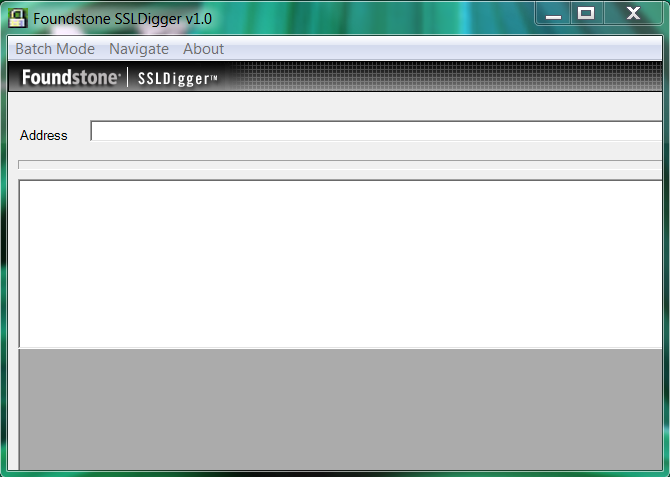
7. SSLDigger by Foundstone -
It is a windows based tool. However, it does not have support for a lot of latest ciphers probably because it has not been updated.


http://www.mcafee.com/uk/downloads/free-tools/ssldigger.aspx

8. If you want to play around writing your own tool, here is a small test I did in Java. This tool is an example of how you can use a crypto library for SSL testing. The drawback is that you can only test the cipher that your client library supports. In contrast to TestSSLServer (6) which does a packet level inspection and does not rely on a local crypto library.

http://rhosted.blogspot.in/2014/08/jsse-based-ssl-ciphersuite-tester.html


9. Testing the SSL for mysql and postgresql?
Databases do not really follow the procedures of a typical SSL/TLS handshake. You need to have a db client for that or you can use wireshark. Wanna see an example, check my earlier notes on mysql's ssl:

http://rhosted.blogspot.in/2014/10/mysql-tlsv1-capture-using-wireshark.html


10. SSLAudit - https://code.google.com/p/sslaudit/

I found SSLAudit pretty good.


11. SSL Breacher
http://bl0g.yehg.net/2014/07/ssl-breacher-yet-another-ssl-test-tool.html

12. TLSSLed (Based on sslscan/openssl)
http://blog.taddong.com/2011/05/tlssled-v10.html


To be continued..

Helpful references for testing


TLS learning

[*]  Listing of Openssl ciphers (meaning of examples like ALL:!ADH:@STRENGTH)
       https://www.openssl.org/docs/apps/ciphers.html#EXAMPLES

[*]  A little advanced but good learning material about TLS
       https://www.owasp.org/index.php/Transport_Layer_Protection_Cheat_Sheet

[*]  Explains a lot of common SSL problems in a very simple way.
       https://www.howsmyssl.com/s/about.html

[*]  Understanding the meaning of a cipher string like DHE-RSA-AES256-SHA
       http://nzbget.net/Choosing_a_cipher

[*]  High/Low/Med grade ciphers
       https://bto.bluecoat.com/packetguide/appcelera-3.0.2/configure/ssl-cipher-details-popup.htm

SSL/TLS best practices

[*]  https://www.ssllabs.com/projects/best-practices/index.html

Products using SSL

[*] Postgres using SSL (How to test SSL being used)
      https://kb.berkeley.edu/page.php?id=23113

BEAST

http://blog.cryptographyengineering.com/2011/09/brief-diversion-beast-attack-on-tlsssl.html

Friday, June 13, 2014

How to Setup Chroot SFTP in Suse 11

Setup a chrooted SSH sftp account. (Tested on Suse 11 and OpenSSH) 
We will create a low privileged sftp directory where lets say the users can upload their stuff without exposing our internal filesystem. First, add a user with a home directory, we don't want this user to access ssh via a shell, only for sftp, that's why we are setting the shell to /bin/false. Chrooted shell is a different chapter, so not discussing it here. And you can confirm the settings of newly added bobuser in /etc/passwd.

test:~ # useradd -d /home/bobuser -s /bin/false -m bobuser
test:~ # cat /etc/passwd | grep bobuser
bobuser:x:1505:100::/home/bobuser:/bin/false

Set the password for bobuser, or else you it will not allow you to login if the password is not set.

passwd bobuser
Changing password for bobuser.
New password:
BAD PASSWORD: it is based on a dictionary word
Retype new password:
Password changed.

Add the following settings in /etc/ssh/sshd_config file.

#Sftp/chroot Settings for bobuser in /etc/ssh/sshd_config
#Change LogLevel to debug and check errors (if any) in /var/log/messages
Subsystem sftp internal-sftp

#Sftp/chroot Settings for bobuser
Match User bobuser
   X11Forwarding no
   AllowTcpForwarding no
   ForceCommand internal-sftp
   ChrootDirectory /home/bobuser

Also add bobuser to the allow users list. This is a good practice to set can use ssh/sftp to login.

AllowUsers alexuser bobuser

Now restart the ssh service. And try connecting.

r00ter127:~ # service sshd restart
Shutting down SSH daemon done
Starting SSH daemon done
r00ter127:~ # sftp bobuser@localhost
Connecting to localhost...
Password:
Read from remote host localhost: Connection reset by peer
Couldn't read packet: Connection reset by peer
Ouch..We need to read the errors in /var/log/messages, we had already set it to debug level. There are some requirements expected by the ssh daemon

Jan 25 11:30:27 r00ter127 sshd[10220]: debug1: PAM: establishing credentials
Jan 25 11:30:27 r00ter127 sshd[10220]: fatal: bad ownership or modes for chroot directory "/home/bobuser"
Set the ownership of the home and parent directories to root. That's a requirement.

test:~ # ls -ld /home/bobuser/
drwxr-xr-x 5 bobuser users 4096 Jun 13 12:21 /home/bobuser/
test:~ # chown root:root /home/bobuser
test:~ # ls -ld /home/bobuser/
drwxr-xr-x 5 root root 4096 Jun 13 12:21 /home/bobuser/
We are set with the permissions now.

r00ter127:~ # sftp bobuser@localhost
Connecting to localhost...
Password:
subsystem request failed on channel 0
Couldn't read packet: Connection reset by peer
If you get the above error, then it means there is some problem invoking the sftp server. And the ssh logs are not very helpful in this regard. Make sure you are using the internal-sftp:

Subsystem sftp internal-sftp
...
   ForceCommand internal-sftp
And then.. you are done.

r00ter127:~ # sftp bobuser@localhost
Connecting to localhost...
Password:
sftp> pwd
Remote working directory: /


Monday, June 9, 2014

PAM module security settings for beginners - Suse 11

Pam modules security settings for beginners(Tested on Suse 11)
Configuring Pluggable Authentication Modules for security could be tricky sometimes. A lot of times people are looking for ways to prevent brute force and password guessing attempts on their ssh. But understanding the working of pam modules, testing them correctly surely takes some time. I am trying to list down here what I have tried and tested. There are 4 modules, cracklib, pwhistory, faildelay and tally. You can explore the man pages for detailed options that are supported, however here is the tricky part: depending on the modules version installed in your Linux, and in some cases depending on the Linux distro as well, the actual behavior may vary and some of the options listed in the man page may not even work. This adds a lot of confusion and frustration on how to get it to work. So define clearly your goals first, and then try out settings as listed in the man pages. Also make a note of where you are adding the rules, and finally a round to testing to ensure, things work as expected.

Few checkpoints, if you face problems when your pam module does not work as intended:

1. Ensure you understand the documented behavior of the module, its purpose, results, limitations etc.
2. Make a note of the PAM rule that you are adding, and the meaning of its parameters
3. Make a note of which file you are adding the rule to (e.g. the rule common-auth, common-password) it may not work if you have added it to the wrong file. :)
4. Well the version you are using, or the distro you are using, may have bugs as well. You need to check and google out any such possibility.
5. Well, if some option is not working in your module, even when it is listed in its man page, probably you are reading the documentation for a newer version
6. Is there any log file that this module writes to, where you can see its behavior?

cracklib is being used for enforcing strong password rules.
faildelay is to make the password prompt delay by a period of time when supplied with a wrong password, which reduces the efficiency of password guessing/brute forcing attacks.
pwhistory is to maintain a history of old passwords, so that users do not reuse their old passwords
pam_tally is to maintain a counter of bad login attempts and to lock the account for a given time, when the counter exceeds the set threshold. The useful feature is to reset the counter when a successful attempt occurs. This again is helpful in reduces the efficiency of password guessing/brute forcing attacks.

(The config files in Suse are in /etc/pam.d/common-auth/account/password):
Using cracklib and pwhistory #Password rules for the creation of strong passwords
- at least one special character (ocredit)
- at least one digit (dcredit)
- at least one lower case letter (lcredit)
- at least one upper case letter (ucredit)
- has a minimum length of 8 characters (minlen)

/etc/pam.d/common-password:

password requisite pam_cracklib.so difok=4 minlen=8 dcredit=-1 ucredit=-1 lcredit=-1 ocredit=-1 maxrepeat=3

#Dont allow previously set passwords, This will remember upto 5 previous passwords.
#The old passwords are stored in /etc/security/opasswd
password required pam_pwhistory.so remember=5 retry=3


Testing
Those password rules do not work for root account. However for non-root accounts, you can try changing them. The errors however could be misleading. For e.g. you may get "password is too simple", even when u have a long password but you forgot to include a special character. So read the manual and keep trying.

faildelay: Brute force and password guessing attack protection
This means when you provide a bad password, the next password prompt would come after 5 seconds (or more). Which is a discouraging thing for automated brute forcing programs. This combined with strong password rules, and locking mechanism with pam_tally provide a good level of protection. /etc/pam.d/common-auth:

#Faildelay to delay the appearance of prompt (mitigation of brute force and password guessing attacks)
#delay is in micro seconds
auth required pam_faildelay.so delay=5000000


Testing for faildelay
Provide a bad password and the next password prompt should appear after 5 seconds.

pam_tally: Temporary account locking and automatic unlocking
You can use pam_tally to lock accounts which pass the defined threshold.(set with deny)

#Locking accounts temporarily when bad passwords are supplied (mitigating brute force and password guessing attacks)
#It uses the tally counter
auth required pam_tally.so deny=5 lock_time=1 unlock_time=60


Testing for pam_tally
By default, the pam_tally module will use /var/log/faillog log file. If you want to see the contents, run faillog command :

test:~ # faillog
Login Failures Maximum Latest On
alexuser 0 0 06/09/14 15:37:20 +0000 test.system.com


Try logging in and providing wrong passwords, with every wrong attempt, the pam_tally would increment Failure count. Once it goes beyond the threshold of 5, it will start locking you for 60 seconds for every bad password you provide. Only after 60 seconds it will accept a password. If you provide the correct password, the faillog is cleared.


test:~ # ssh alexuser@localhost
Password:
Password:
Password:
Account locked due to 6 failed logins

Received disconnect from 127.0.0.1: 2: Too many authentication failures for alexuser
test:~ # ssh alexuser@localhost
Password:
Password:
Account locked due to 8 failed logins

Password:
Account locked due to 9 failed logins

Received disconnect from 127.0.0.1: 2: Too many authentication failures for alexuser


Now you wait for 60 seconds and try logging again, this time provide correct password in first try (or else it will again start the lock period of 60 sec) and the system should log you in. Now you can run faillog and it will be empty because it got reset by your successful login.


References:
http://linux.die.net/man/8/pam_cracklib
http://linux.die.net/man/8/pam_tally

Saturday, June 7, 2014

Java code: Simple RSA encryption and decryption code

A simple program to generate 1024 bit RSA key pair, and perform simple encryption and decryption. No a big deal. Two classes: AsymetricKeyHelper and Main. AsymmetricKeyHelper.java:
/*AsymmetricKeyHelper.java*/
package com.work.crypto;

import java.security.InvalidKeyException;
import java.security.Key;
import java.security.KeyPair;
import java.security.KeyPairGenerator;
import java.security.NoSuchAlgorithmException;
import java.security.PrivateKey;

import javax.crypto.BadPaddingException;
import javax.crypto.Cipher;
import javax.crypto.IllegalBlockSizeException;
import javax.crypto.NoSuchPaddingException;

public class AsymmetricKeyHelper {

 //Generates an RSA public private key pair
 public KeyPair keyPair() {
  KeyPair kp = null;
  try {
   KeyPairGenerator keyPairGenerator = KeyPairGenerator
     .getInstance("RSA");
   keyPairGenerator.initialize(1024);
   kp = keyPairGenerator.generateKeyPair();

  } catch (NoSuchAlgorithmException e) {
   e.printStackTrace();
  }
  return kp;
 }

 //does the encryption
 public byte[] encrypt(byte[] clearTest, Key key) {
  try {
   Cipher cipher = Cipher.getInstance(key.getAlgorithm());
   cipher.init(Cipher.ENCRYPT_MODE, key);
   return cipher.doFinal(clearTest);
  } catch (InvalidKeyException e) {
   e.printStackTrace();
  } catch (NoSuchAlgorithmException e) {
   e.printStackTrace();
  } catch (NoSuchPaddingException e) {
   e.printStackTrace();
  } catch (IllegalBlockSizeException e) {
   e.printStackTrace();
  } catch (BadPaddingException e) {
   e.printStackTrace();
  }
  return null;
 }

 //does the decryption
 public byte[] decrypt(byte[] cipherText, PrivateKey private1) {
  try {
   Cipher cipher;
   System.out.println(private1.getAlgorithm());
   cipher = Cipher.getInstance(private1.getAlgorithm());
   cipher.init(Cipher.DECRYPT_MODE, private1);
   return cipher.doFinal(cipherText);
  } catch (NoSuchAlgorithmException e1) {
   e1.printStackTrace();
  } catch (NoSuchPaddingException e1) {
   e1.printStackTrace();
  } catch (InvalidKeyException e) {
   e.printStackTrace();
  } catch (IllegalBlockSizeException e) {
   e.printStackTrace();
  } catch (BadPaddingException e) {
   e.printStackTrace();
  }

  return null;
 }

}

Main.java:
/*Main.java*/
package com.work.crypto;

import java.security.KeyPair;

public class Main {

 /**
  * @param args
  */
 public static void main(String[] args) {
  asymmetricEncryptionSimple();
 }

 private static void asymmetricEncryptionSimple() {
  AsymmetricKeyHelper keyHelper = new AsymmetricKeyHelper();
  KeyPair keyPair = keyHelper.keyPair();
  System.out.println(keyPair.getPublic().getAlgorithm());
    
  String plainText = "You little Monkey.I am a cryptographer";
  
  byte[] cipherText = keyHelper.encrypt(plainText.getBytes(), keyPair.getPublic());
  //Print the encrypted text, it is in binary. So it will look ugly.
  System.out.println(new String(cipherText));
  
  byte[] clearDecrypt = keyHelper.decrypt(cipherText, keyPair.getPrivate());
  //Create a string out of the byte array
  System.out.println(new String(clearDecrypt));
 }

}


Friday, May 30, 2014

Linux: Compilation of 31 Bash tips and tricks - Part 2 (16-31)

The next part of tips.

These are picked from various sources and usually are helpful to me in my day to day work, so you do not have to read the man pages everytime. I do not remember all the sources, so I will quote the source wherever I remember. If you know the source, please let me know.

I know I have written it in a very clumsy way, without too much explaining of the underlying context and theory or any references. But I hope to make it beginner friendly.

Here we go:

16. [Bash usage tip/security]
Enable a 15 minute timeout for bash. Helps in security best practices.

Let's say you want to auto-logout of your bash shell after 15 minutes of inactivity. This is sometimes an important security requirement as well. You can set this code in the global /etc/profile or for specific user in ~/.bash_profile. This piece essentially creates a readonly environment variable when a user logs in


#Add this in /etc/profile, tested in SUSE
TMOUT=900
readonly TMOUT
export TMOUT

17. [Bash usage tip/security]
Disable command execution in Less.

Well if you don't know this, you can execute commands in less, vi etc
To disable this in less, you need to set an environment variable called LESSSECURE.

export LESSSECURE=1

18. [Bash usage tip/security]
Executing bash commands in vi, less, and more:


in vi -> :!bash
in less -> !bash
in more -> !bash

19. [Bash usage tip/security]
Setting an environment variable as READONLY:


readonly TMOUT
export TMOUT

20. [Bash usage tip/security]
Disable bash builtins using enable. This might help if you are trying something like a restricted shell. I must warn you, its risky.


enable -n <builtin_name>

21. [Bash usage tip]
Useful commands in vi


:set list -special chars
:set nu -line numbers
:.! ls - Add a . before ! during command execution and it will dump the output in the current screen.
:r! <cmd> -same thing, dump the cmd output
:%!xxd - Turn vim into a hexeditor, :%xxd -r to reverse.
q: -command history
:%TOhtml -create an html file body

22. [Shell scripting tip]
Command execution in a subshell. Shell scripting tip.

$(command) is the same as `command`

$(ls) gives you the output of ls
so does `ls`.

23. [Bash usage tip]
env and export -p

Use the env (or export -p) command to see only those variables that have been exported and would be available to a subshell.

24. [Bash usage tip ]
set command:

Use the set command to see the value of all variables and function definitions in the current shell. The list produced by env is a subset of the list produced by set, since not all variables are exported.

25. [Shell scripting tip]
Looping over vars with spaces like "My Folder".


for file in "$@"
    do
    chmod 0750 "$file"
done

26. [Shell scripting tip]
Difference between: "$*" and "$@".


for file in "$*" will expand to:
for file in "file1 file2 file3 My File.txt"

The above will not help if the filename has spaces, like My File.txt, bash would treat it as two files, My and File.txt, and thereafter producing an error like My not found.

for file in "$@"
will expand to:
for file in "file1" "file2" "file3" "My File.txt"

27. [Shell scripting tip]
Number of args can be accessed by ${#}. 


28. [Shell scripting tip]
 Quick sed handy examples, when I read those examples I recall the logic, otherwise the theory confuses me.

Replace password hash in shadow file, if you use -i it will replace in the original file, so be careful:

sed -e '/^user:/s/:[^:]*:/:newpassword:/' /etc/shadow

Change the param value to 3 in sshd_config file

sed -i "s/\(\#MaxAuthTries.*\)/MaxAuthTries 3/g" /etc/ssh/sshd_config

Replace all digits

sed -e 's/[[:digit:]]//g'

Replace all other than digits (Use ^ to negate)

sed -e 's/[^[:digit:]]//g'
Replace all alpha-numeric

sed -e 's/[[:alnum:]]//g'
Replace all other than alphanumeric (special chars)

sed -e 's/[^[:alnum:]]//g'
29. [Performance monitoring tip]
 Listing Apache httpd processes and threads.


List httpd processes:
ps -elf | grep httpd

List httpd worker threads:
ps -elfT | grep httpd


30. [Shell scripting tip]
Using readlink and dirname in shell scripts to get absolute path and directory name.


If you want to read the absolute path for a file use:
readlink -f
$ readlink -f ./file.txt would return
/home/file.txt

For only the directory:
dirname
dirname /etc/passwd returns /etc
31. [ Bash usage tip]
Use CTRL-R to go through the history of commands.


1. Ctrl-R and then type command, it gives the most recent one. Press Ctrl -R more times.
2. Exit anytime using Ctrl-C
3. Edit using arrow keys